


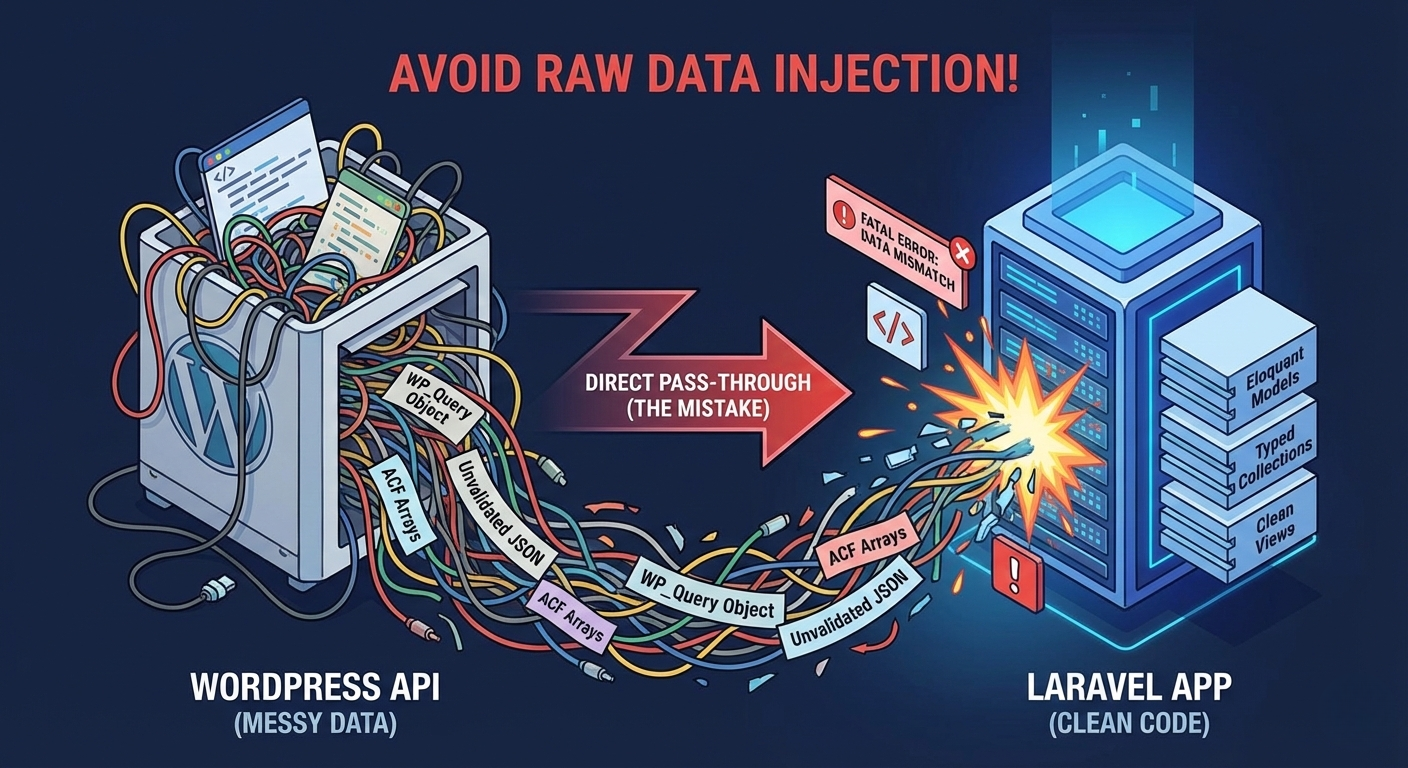
It’s tempting to take the shortcut, but letting raw WordPress data leak into your Laravel application is a recipe for long-term technical debt.
It’s a very common architectural pattern in modern web development: You have a robust, established WordPress site handling content management, but you need to build a modern, dynamic application alongside it.
The obvious solution? Use WordPress as a “headless” CMS. You let the marketing team keep their familiar wp-admin interface, and you build a sleek Laravel application that consumes content via the WordPress REST API.
On paper, this is the best of both worlds. In practice, many developers stumble on step one, creating a codebase that is brittle, hard to test, and frustrating to maintain.
There is one mistake that towers above the rest when integrating these two powerhouses. It’s not about authentication, and it’s not about rate limiting.
The single biggest mistake is failing to normalize the incoming WordPress data.
The Trap of the “Easy” API Call
Laravel’s HTTP client makes connecting to external APIs incredibly easy. It’s tempting to write a quick controller method, grab the data, and pass it straight to your view.
It usually looks something like this.
The Scenario: You need to display a WordPress post on your Laravel site. The post has a featured image and a custom field for an “Author Bio” created with Advanced Custom Fields (ACF).
The Mistake: The “Pass-Through” Controller
PHP:
// SomeLaravelController.php
use Illuminate\Support\Facades\Http;
use Illuminate\View\View;
public function show($slug): View
{
// 1. Make the call to WP
$response = Http::get(“https://my-wordpress-site.com/wp-json/wp/v2/posts”, [
‘slug’ => $slug,
‘_embed’ => true, // Include featured images, authors, etc.
]);
if ($response->failed() || empty($response->json())) {
abort(404);
}
// The Mistake: Grabbing the first raw result and passing it to the view
$rawPostData = $response->json()[0];
return view(‘blog.show’, [‘post’ => $rawPostData]);
}
This looks clean, right? A 10-line controller. The problem is that you have just handed a grenade to your Blade template.
WordPress REST API responses are notoriously deep, complex, and sometimes inconsistent.
If you look at your blog.show blade file, you’ll likely see nightmares like this:
Blade:
{{– blog/show.blade.php –}}
<h1>{{ $post[‘title’][‘rendered’] }}</h1>
{{– Trying to get the featured image URL safely is exhausting –}}
@if(isset($post[‘_embedded’][‘wp:featuredmedia’][0][‘source_url’]))
<img src=”{{ $post[‘_embedded’][‘wp:featuredmedia’][0][‘source_url’] }}” alt=”…”>
@endif
{{– Accessing an ACF field –}}
<p>{{ $post[‘acf’][‘author_short_bio’] ?? ‘No bio available’ }}</p>
<div>
{!! $post[‘content’][‘rendered’] !!}
</div>
Why This Is a Problem
By doing this, you have tightly coupled your Laravel application’s presentation layer to the internal, messy data structure of WordPress.
- Brittleness: If WordPress changes its API structure (or if an ACF plugin update changes how it returns data from an object to an array), your Laravel views break instantly.
- Cognitive Load: Any developer working on this view has to deeply understand the WP API structure. They aren’t writing Laravel code; they are navigating WordPress arrays.
- No Type Safety: You are dealing with giant associative arrays. You have no guarantee that keys exist or that data types are what you expect.
The Solution: The Anti-Corruption Layer
To fix this, you need to build a defensive wall around your Laravel application. In Domain-Driven Design (DDD), this is called an Anti-Corruption Layer (ACL).
Its job is simple: connect to the messy external world, sanitize the data, and convert it into a clean structure that your application understands.
In Laravel, the best way to implement this is using Data Transfer Objects (DTOs).
Step 1: Define the DTO
A DTO is a simple PHP class with typed properties that defines what your application considers a “Post.” It doesn’t care what WordPress thinks a post is.
PHP:
// app/DTOs/BlogPostDTO.php
namespace App\DTOs;
readonly class BlogPostDTO
{
public function __construct(
public int $id,
public string $title,
public string $contentHtml,
public ?string $featuredImageUrl,
public ?string $authorBio,
) {}
/**
* The static constructor handles the messy mapping ONE time.
*/
public static function fromWpApiResponse(array $data): self
{
return new self(
id: $data[‘id’],
// Strip out WP’s awkward ‘rendered’ sub-keys
title: html_entity_decode($data[‘title’][‘rendered’]),
contentHtml: $data[‘content’][‘rendered’],
// Handle the deep nesting for images safely using Laravel’s data_get helper
featuredImageUrl: data_get($data, ‘_embedded.wp:featuredmedia.0.source_url’),
// Handle ACF fields cleanly
authorBio: $data[‘acf’][‘author_short_bio’] ?? null,
);
}
}
All the ugly array digging and null coalescing happens inside that static fromWpApiResponse method. It happens once, and it happens in an isolated, testable class.
Step 2: Update the Controller
Now, your controller doesn’t pass raw arrays. It passes a clean, typed object.
PHP:
// SomeLaravelController.php
use App\DTOs\BlogPostDTO;
use Illuminate\Support\Facades\Http;
public function show($slug)
{
// … HTTP call happens here …
$rawData = $response->json()[0];
// The Fix: Convert the raw mess into a clean DTO
$blogPost = BlogPostDTO::fromWpApiResponse($rawData);
// Pass the DTO to the view
return view(‘blog.show’, [‘post’ => $blogPost]);
}
Step 3: Enjoy the Clean View
Look how beautiful your Blade template becomes. No array brackets, no defensive isset checks, just clean object-oriented PHP.
Blade:
{{– blog/show.blade.php –}}
{{– We now know $post is an instance of BlogPostDTO –}}
<h1>{{ $post->title }}</h1>
@if($post->featuredImageUrl)
<img src=”{{ $post->featuredImageUrl }}” alt=”…”>
@endif
<p>{{ $post->authorBio ?? ‘No bio available’ }}</p>
<div>{!! $post->contentHtml !!}</div>
Conclusion
When integrating Laravel with WordPress, treat WordPress as an untrusted third party. Do not let its data structures dictate your application architecture.
By taking the extra twenty minutes to define DTOs and normalize your data at the point of entry, you decouple your systems. Your Laravel app remains clean, testable, and resilient to whatever chaos is happening over in the wp-admin dashboard.
0 Comments