
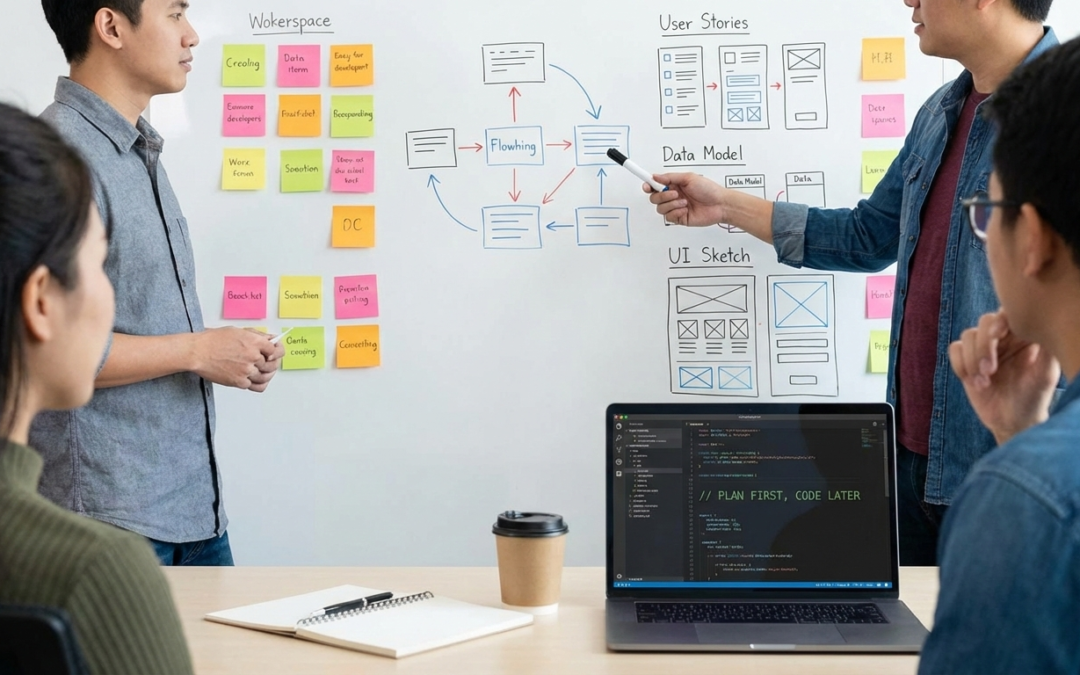
The most expensive code we have ever written is the code we had to delete a month later. Here is why our team demands a solid plan before a single line of PHP is written.
It is the most tempting feeling in software development.
You have a brilliant idea for a new plugin feature. You can picture it perfectly in your head. The adrenaline kicks in, you open your IDE, create a new branch named feature/awesome-new-thing, and your fingers hover over the keyboard ready to hammer out functions.
At our agency, this is the exact moment we force ourselves to stop.
We have learned the hard way that “jump-to-code” syndrome is the primary cause of bloated software, confusing user interfaces, and painful technical debt. While coding immediately feels productive and fast, it almost always leads to a slower overall release cycle due to constant backtracking and refactoring.
Our philosophy is simple: Clarity precedes coding.
We believe that the actual writing of code should be the easiest, most boring part of the process—it should just be the translation of a well-thought-out plan into syntax.
Here is the four-stage “pre-flight” process we use to plan plugin features before we let our engineers loose.
Stage 1: The “Why” Validation (Killing Bad Ideas Early)
Before we discuss how to build something, we rigorously ruthlessly question why we are building it.
It is easy to get caught up in technical possibilities. We could build an AI-powered chatbot into our settings panel, but does the user actually want that? Does it solve a genuine pain point, or is it just a cool feature looking for a problem?
In this stage, product owners and lead developers discuss:
- The Core Problem: What is currently broken, slow, or frustrating for the user that necessitates this feature?
- The Value Proposition: If we build this, how does the user’s life improve?
- The “Kill Switch”: If we cannot articulate a clear user benefit, the feature dies right here. It is much cheaper to kill an idea on a whiteboard in ten minutes than it is after 40 hours of development time.
Stage 2: User Story Mapping & Flows
Once we agree a feature is necessary, we need to define exactly who it is for and what they need to do.
We don’t deal in vague statements like “Make the export better.” We deal in specific User Stories:
“As a busy shop manager, I want to export last month’s orders into a CSV file with one click, so that I can send it to my accountant without manually formatting columns.”
Once we have the stories, we map the flow. What triggers the action? What is the success state? What are the failure states (e.g., what if there are zero orders to export)?
We map out the entire journey from trigger to resolution before thinking about the interface.
Stage 3: The “Napkin Sketch” (Low-Fi Wireframing)
Now we know what needs to happen, we need to figure out where it happens.
This is where many developers go wrong: they try to design the UI in code (CSS/HTML) while building the functionality. This is multitasking, and it leads to poor results in both areas.
We use low-fidelity tools—sometimes actual pen and paper, sometimes tools like FigJam or Excalidraw—to sketch the interface.
We are not worried about colors, fonts, or pixel perfection here. We are worried about:
- Placement: Does this button belong on the main dashboard or buried in a settings tab?
- Clarity: Is the user overwhelmed with options on this screen?
- Hierarchy: What is the most important action on the page?
If a feature flow is confusing in a simple sketch, it will be ten times more confusing when rendered in code. We iterate here until the UX feels intuitive.
Stage 4: The Technical Blueprint & Data Modeling
Only now, after the “why,” the “who,” and the “where” are defined, do we bring in the “how.” This is where the engineering team takes the specs and turns them into a technical blueprint.
This is critical, especially in WordPress plugin development, where poor decisions can cripple site performance.
We define:
- Data Modeling: Will this feature require a new custom database table, or can it live in existing post meta? (We lean heavily toward custom tables for anything scalable to avoid clogging the wp_options or wp_postmeta tables).
- Hooks and Filters: What existing WordPress hooks will we need to leverage? What new hooks should we introduce so other developers can extend our feature?
- API Endpoints: If this is a JavaScript-heavy feature, what REST API endpoints need to be created, and what data payloads will they carry?
- Edge Cases & Security: How do we handle bad user input? What are the permission checks required?
The Result: “Boring” Coding
By the time we reach the end of Stage 4, we have a completed ticket that includes user stories, wireframes, a database schema, and technical requirements.
When a developer picks up this ticket, there is zero ambiguity. They don’t have to make product decisions on the fly. They don’t have to guess how the UI should look. They just have to build it.
This process might seem like a lot of upfront overhead. But we have found that spending four hours planning usually saves us forty hours of confused coding, frustrating debugging, and painful backtracking later down the road.
Measure twice. Cut once. Ship better plugins.