


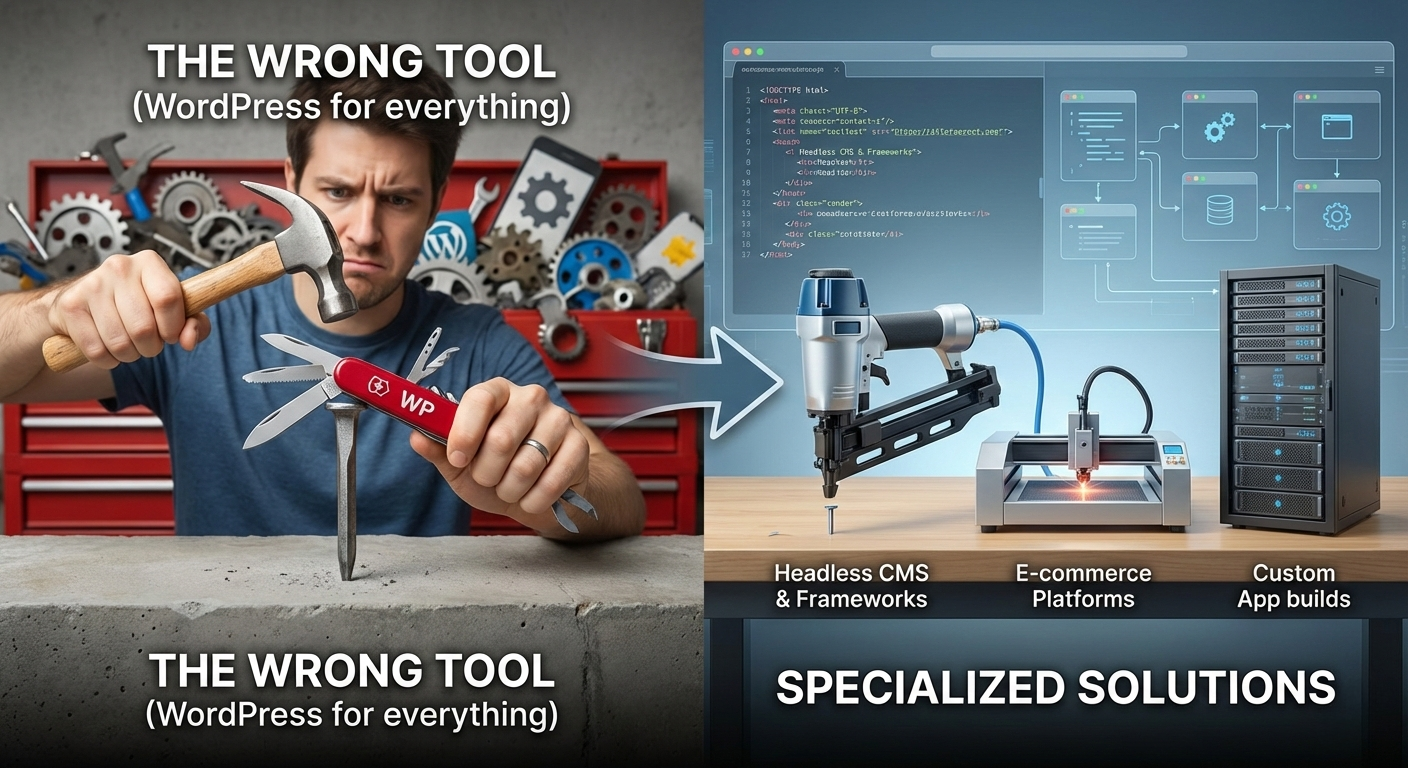
WordPress powers over 40% of the web. But if your only tool is a hammer, every problem starts to look like a nail. Here is how to know when it’s time to put the hammer down and pick up a specialized tool.
In the world of web development, WordPress is the undisputed giant. It is democratized publishing, spawned a massive economy of themes and plugins, and currently powers roughly 43% of all websites on the internet.
Because of its ubiquity, countless agencies, developers, and business owners choose WordPress as their default starting point for every new project. It is familiar, it has a low barrier to entry, and “there’s a plugin for that” is a comforting mantra.
But familiarity can breed technical debt.
While WordPress is phenomenal at what it was designed to do, it is not a magic bullet. Trying to shoehorn a complex application into a platform designed for blogging is one of the most expensive mistakes a business can make in the long run.
So, how do you know when you are about to ask WordPress to do too much?
Here is a realistic look at WordPress’s “sweet spot,” when you should avoid it, and the modern alternatives you should consider instead.
The WordPress Sweet Spot: What It’s Actually Good For
Before we discuss when to ditch WordPress, let’s acknowledge why it’s so popular. WordPress is an excellent choice for:
- Content-Heavy Marketing Sites: If your primary goal is publishing articles, white papers, and standard business information with a decent editorial workflow.
- Small to Midsize E-commerce: WooCommerce is fantastic for stores with standard requirements and moderate SKU counts.
- Brochure Sites on a Budget: For local businesses needing a presence quickly and affordably, the theme ecosystem is unbeatable.
If your project fits these boxes, WordPress is likely a safe bet.
The Warning Signs: When WordPress is the Wrong Fit
The problems begin when you move beyond standard content publishing into the realm of complex functionality. If your project aims for any of the following criteria, WordPress should be viewed with extreme skepticism.
1. You Are Building a Web Application (SaaS) or Complex Portal
This is the most common mistake. A client needs a user dashboard with complex permissions, intricate data relationships, and custom workflows. The developer thinks, “I’ll just use a membership plugin and Advanced Custom Fields (ACF).”
Why WordPress fails here: The Database Structure. WordPress was built for blog posts. Almost everything in WordPress is stored in just two database tables: wp_posts and wp_postmeta.
When you build a complex app (e.g., a real estate portal with agents, properties, buyers, and appointments), you are forcing dozens of different data types into those two tables. Trying to query this data efficiently at scale is a nightmare and leads to incredibly slow performance.
2. Security is Mission-Critical
WordPress Core is generally secure. The problem is the ecosystem.
To get complex functionality in WordPress, you need plugins. Often, dozens of them. Every plugin you install is a potential backdoor into your website. You are entrusting your site’s security to 30 different developers of varying skill levels.
Why WordPress fails here: The Attack Surface. Because it powers 43% of the web, it is the biggest target for automated bot attacks. Managing the constant updates and vulnerability patches required to keep a high-plugin-count site secure is a full-time job.
3. You Need “Blazing Fast” Global Performance
Can WordPress be fast? Yes, with aggressive server-side caching, CDNs, and image optimization.
But at its heart, WordPress is a dynamic PHP application. Every time a user requests a page, the server has to execute PHP code, query a database, build the page, and send it to the browser.
Why WordPress fails here: Dynamic Architecture. If you need sub-second load times globally, or if your site gets massive spikes in traffic (like a Super Bowl ad), a dynamic architecture will buckle unless you spend a fortune on server infrastructure.
4. You Need an Omnichannel Experience (Headless)
Modern digital experiences often need to push content not just to a website, but to mobile apps, smartwatches, and digital signage simultaneously.
Why WordPress fails here: Coupled Architecture. By default, WordPress’s backend (where you enter content) is tightly coupled with its frontend (the theme that displays it). While “Headless WordPress” (using WP purely as an API) is possible, it is often clunky compared to purpose-built solutions.
The Modern Alternatives Stack
If you’ve identified that WordPress isn’t the right fit, what should you use? The modern web stack has evolved toward specialized tools that do one thing perfectly.
Alternative 1: For Custom Web Apps and SaaS
If you are building a platform with complex user roles and data relationships, you need a true application framework.
The Solution: Laravel (PHP) or Ruby on Rails. These frameworks provide structure for building complex applications securely. They allow you to design a proper database schema suited to your exact needs, rather than shoving everything into wp_postmeta. They are built for engineers solving complex problems.
Alternative 2: For Speed, Security, and Marketing Sites
If you want a site that is virtually unhackable, loads instantly anywhere in the world, and never needs a plugin update, you need the “Jamstack” approach.
The Solution: A Static Site Generator (e.g., Astro, Next.js) + A Headless CMS (e.g., Sanity, Contentful). This separates the content management from the website delivery. The Headless CMS handles the content editing nicely. The generator pre-builds the entire site into static HTML files that are served directly from a global CDN. There is no database to hack and no PHP to slow things down.
Alternative 3: For Designers Who Want Control Without Code
Many designers use WordPress page builders like Elementor or Divi because they can design visually. But these tools often generate bloated code that hurts performance and SEO.
The Solution: Webflow or Framer. These platforms offer incredibly powerful visual design interfaces that generate clean, semantic code. They handle the hosting and security for you, providing the design freedom of a WP page builder without the plugin nightmare.
Conclusion
Choosing a tech stack isn’t about chasing the newest shiny object; it’s about choosing the architecture that best solves your business problem.
WordPress is a wonderful, powerful tool. Keep it in your toolbox. But don’t be afraid to admit when a project has outgrown it. Choosing the right tool at the start of a project is far cheaper than rewriting the wrong tool a year later.
0 Comments