


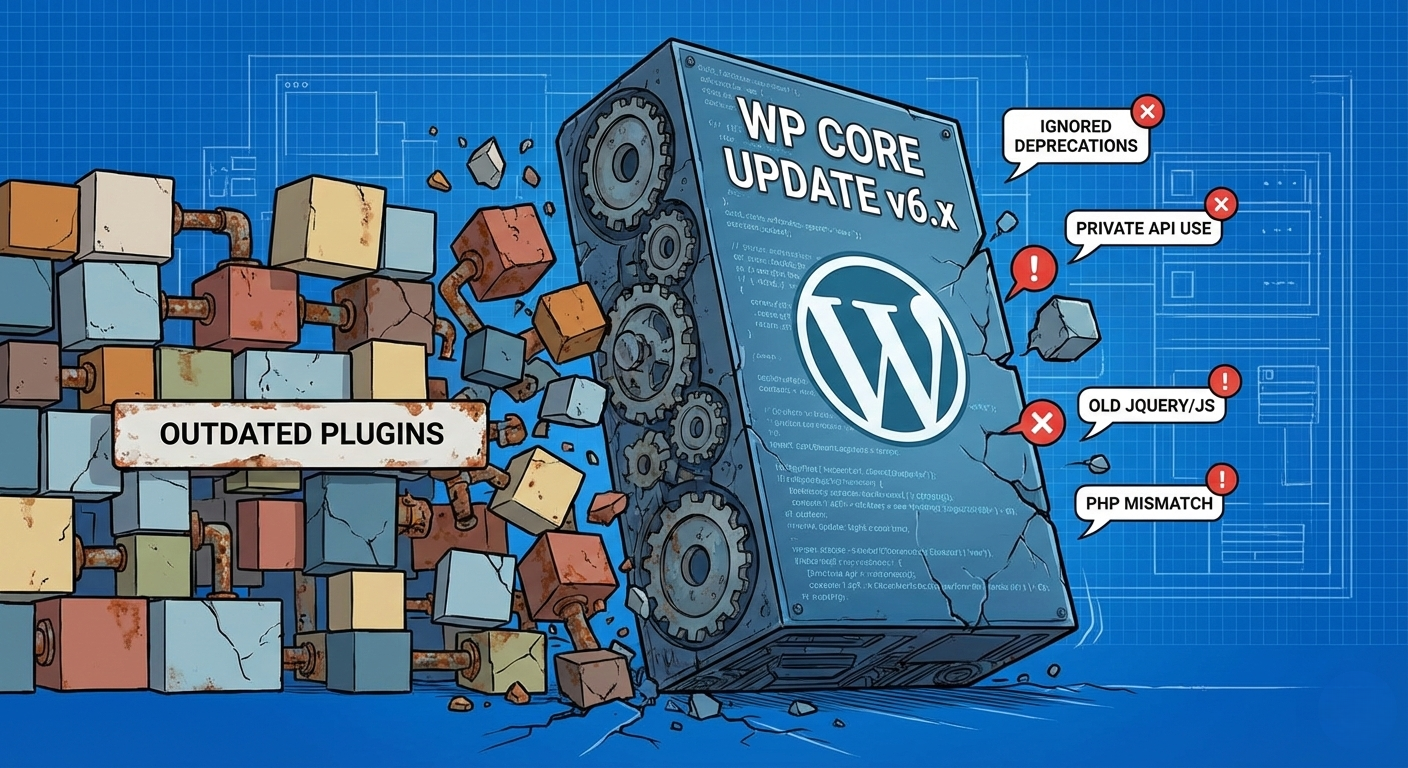
When the dreaded “Critical Error” appears after a major core update, it’s easy to blame WordPress. But the real culprits are usually hiding in plain sight within your plugins folder.
It’s the notification every website maintainer dreads.
WordPress 6.x gets released. You hit “Update.” The spinner spins, and then—white screen. Or perhaps the polite but terrifying message: “There has been a critical error on this website.”
The immediate reaction is often frustration with the WordPress Core team. “Why did they break things again? Why can’t they just leave it alone?”
However, having analyzed hundreds of update failures over the years, the reality is rarely that WordPress Core made a careless, surprising change. WordPress is famously, almost obsessively, committed to backward compatibility. They bend over backward to ensure code written ten years ago still runs today.
So, if Core tries so hard not to break things, why do major updates cause so much chaos for plugins?
It almost always comes down to technical debt hitting a deadline. A major update isn’t a surprise attack; it is an audit of code quality.
Here are the four most common reasons plugins break when WordPress gets a major upgrade.
1. Ignoring Deprecation Notices (The Ticking Time Bomb)
This is, without a doubt, the number one cause of plugin fatalities.
In software development, “deprecation” is a warning label. It means: “Hey developer, we are going to remove this function in the future. Please stop using it and switch to the new, better way.”
WordPress is incredibly generous with these warnings. Functions are often deprecated for years—sometimes spanning 5 to 10 major releases—before they are finally removed from the codebase.
Why it breaks plugins: Many developers, especially on older or less actively maintained plugins, ignore these warnings because the code technically still works. They run their sites with WP_DEBUG turned off, silencing the warning bells.
A major update (like moving from 6.4 to 6.5) is often the moment the WordPress team finally decides to take out the trash. They remove the long-deprecated code. Any plugin that hit the snooze button on those warnings for five years instantly fatal errors.
2. Relying on “Private” Internal APIs
Imagine a restaurant. The dining room is the “public API”—it’s where customers are supposed to interact with the business. The kitchen is the “private API”—it’s messy, things move around constantly, and it’s for staff only.
Some plugin developers take shortcuts by sneaking into the kitchen. They hook into internal WordPress classes, methods, or global variables that were never intended for public use. These internal parts are not marked @api in the documentation.
Why it breaks plugins: The Core team has the right to reorganize their “kitchen” whenever they want to improve efficiency. They don’t promise backward compatibility for private internals.
When a major update refactors an internal class to improve performance, the plugins that were secretly relying on that specific internal structure snap.
3. The JavaScript Modernization and jQuery conflicts
The last few years have seen a massive shift in the WordPress ecosystem due to the Block Editor (Gutenberg). Under the hood, WordPress has moved from a heavy reliance on PHP and jQuery toward a modern, React-based JavaScript architecture.
Why it breaks plugins: Modern WordPress loads a lot of JavaScript in the admin area. Old plugins often enqueue outdated versions of jQuery, conflict with the new React libraries, or rely on DOM structures in the editor that no longer exist because everything is now a “block.”
While PHP errors usually cause the “white screen of death,” JavaScript errors usually result in broken admin interfaces—buttons that don’t click, meta boxes that won’t save, or a visual editor that refuses to load.
4. PHP Version Mismatches
Major WordPress updates often coincide with a push toward newer, faster, and more secure versions of PHP. WordPress might bump its “Recommended PHP version” or, in rare cases, its minimum required version.
Why it breaks plugins: If a plugin is using ancient PHP syntax that was deprecated in PHP 7.4 and removed in PHP 8.1, and the host upgrades PHP alongside WordPress, the site goes down.
Conversely, sometimes a plugin adopts brand new PHP 8.2 features rapidly, but the user’s server is still running PHP 7.4, causing syntax errors. The major core update often exposes these environmental frictions.
The Solution: Proactive vs. Reactive Maintenance
When a plugin breaks during a major update, it is rarely a sudden accident. It is usually the inevitable result of ignoring modern standards for too long.
For plugin developers and agency maintainers, the defense against update anxiety is simple, though not easy:
- Turn on WP_DEBUG locally: Never develop with warnings silenced. Treat deprecation notices as errors.
- Read the “Dev Notes”: Before every major release, the Make WordPress Core blog publishes detailed technical notes on what is changing.
- Test against Betas: Don’t wait for release day. Test your critical plugins against the Beta and Release Candidate (RC) versions of WordPress a month in advance.
Stability isn’t about hoping nothing changes. Stability is about building code resilient enough to handle change when it comes.
0 Comments