


If you have spent any time managing a web hosting business, you have likely heard the term “Hooks” thrown around. You might know they are responsible for making things “happen” automatically, but to many, the actual mechanism feels like magic.
At Scriptudio, we spend our days inside these hooks. We use them to build custom integrations, fraud prevention layers, and specialized billing logic. Today, we are pulling back the curtain to explain, in plain English, how this “magic” actually works.
The “Wait, What?” Problem
Standard software is usually a straight line. You click a button, the software runs a specific command, and then it stops.
But WHMCS is a living system. Thousands of events happen every hour: invoices are generated, passwords are changed, and services are suspended. If you want to add your own custom logic to those events—like sending a WhatsApp alert when a $1,000 invoice is paid—you can’t just edit the core WHMCS files. If you did, the next update would wipe your changes away.
This is where Hooks come in.
The Anatomy of a Hook: The “Event Listener”
Think of WHMCS as a massive, busy train station. Throughout the day, specific “events” occur: a train arrives, a passenger buys a ticket, or the station doors lock for the night.
A Hook is a sensor placed on the track. It doesn’t interfere with the train; it just waits.
When a specific train (an “Event”) passes that sensor, it triggers a signal. That signal tells a worker (your Custom Code) to perform a specific task. Once the worker is done, the train continues its journey exactly as planned.
The Life Cycle of a Hook
To understand the process, let’s look at a common scenario: A new client registers.
-
The Trigger Point: A user fills out the registration form and clicks “Submit.”
-
The Core Action: WHMCS begins its standard routine. It validates the email, hashes the password, and creates the database entry.
-
The Hook Call: Right after the database entry is saved, WHMCS pauses for a fraction of a second. It checks a specific folder on your server:
/includes/hooks/. It asks, “Does anyone have a script waiting for theClientAddevent?” -
The Custom Execution: If you (or we at Scriptudio) have placed a file there, WHMCS runs it. Your script might grab that new client’s email and push it into your CRM or an email marketing tool like Mailchimp.
-
The Completion: Once your script finished, WHMCS resumes. It sends the standard welcome email and redirects the user to their new client area.
Why Hooks Are the “Golden Standard” for Customization
There are three reasons why hooks are the only professional way to customize your automation:
-
Update-Proofing: Since your code lives in the
/hooks/folder and not inside the core files, you can update WHMCS to the latest version without ever losing your customizations. -
Separation of Concerns: You can have ten different hooks watching the same event. One might handle accounting, another handles security, and another handles marketing. They don’t interfere with each other.
-
Performance: Hooks only run when they are needed. They don’t bog down the rest of your system.
Common Real-World Uses
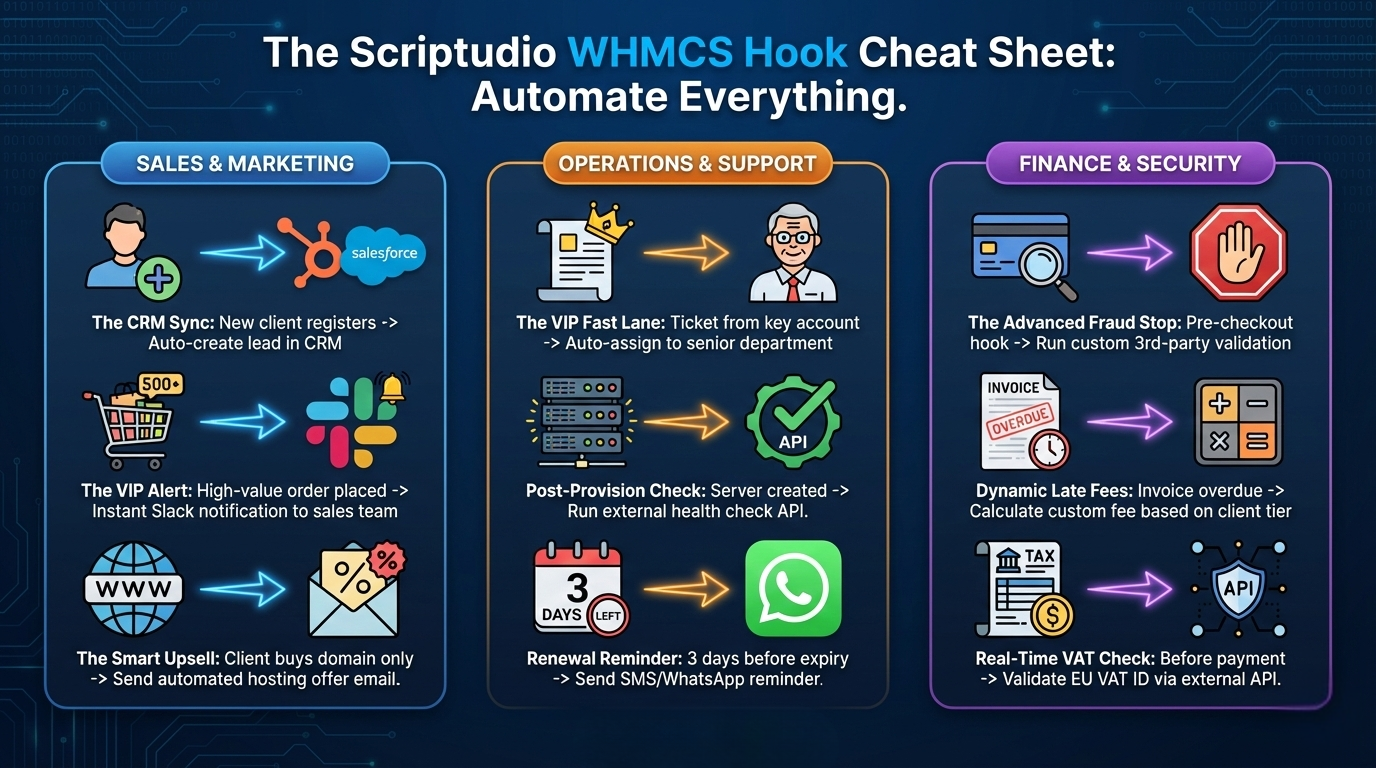
What can you actually do with this? Here are a few things we have built for Scriptudio clients recently:
-
Slack Alerts: Get a notification in your team’s Slack channel the moment a support ticket is marked as “High Priority.”
-
Dynamic Tax Calculation: Use a hook to check a client’s VAT number against a government API before the invoice is finalized.
-
Automated Upsells: When a client buys a domain, use a hook to automatically generate a limited-time discount for a hosting plan.
Conclusion
Hooks are the secret sauce that turns WHMCS from a simple billing tool into a fully automated business engine. They allow you to build a system that works exactly the way your business does, without compromise.
Is there a manual process in your hosting business that is slowing you down? Most of the time, the solution is just a well-placed hook away.
Reach out to the Scriptudio team today. Let’s look at your workflow and see where we can bridge the gaps with precision scripting.
0 Comments